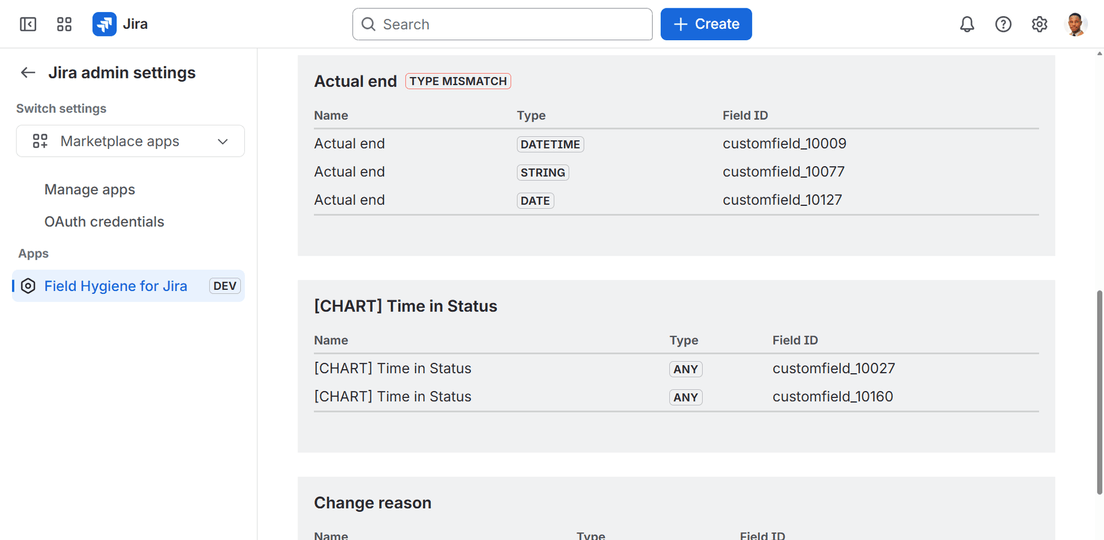
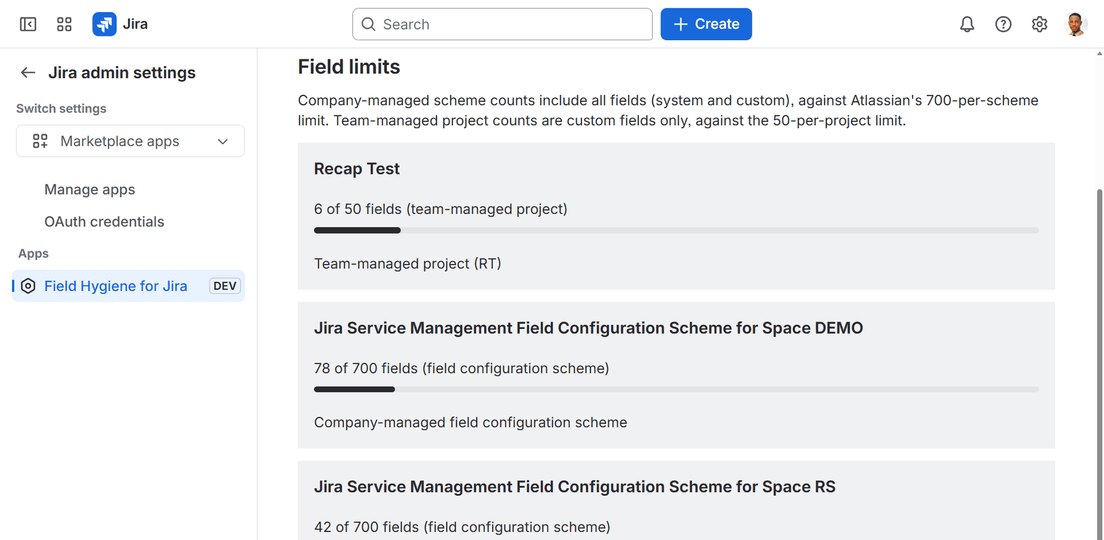
Jira never stops you from creating two custom fields with the same name. Field Hygiene opens to one page and shows you every duplicate, near-duplicate, unused, and undocumented field on your site — plus how close you are to Atlassian's field-count limits.
No setup, no configuration, no date pickers — Field Hygiene scans automatically the moment you open it.
1
Install from the Marketplace
One click, admin-approved permissions. Nothing to configure before it works.
2
Open the admin page
The scan runs the moment the page loads — every custom field on your site, checked automatically.
3
Fix it in Jira
Field Hygiene reports what it finds — you decide what to rename, merge, or delete.
What it catches
Six ways custom fields go wrong
Each one is its own page in the app — nothing buried, nothing you have to dig for.
Duplicate names
Exact-name collisions, grouped together — with a warning when they don't even share the same field type.
Near-duplicates
"Story Point" vs "Story Points" — caught by name similarity, not just exact matches.
Unused fields
Not on any screen, or untouched for two or more years — candidates for cleanup, never deleted for you.
Missing descriptions
A common reason admins can't tell fields apart — and create a duplicate instead of reusing one.
Field-count limits
A live read on how close each field configuration scheme and team-managed project is to Atlassian's ceiling.
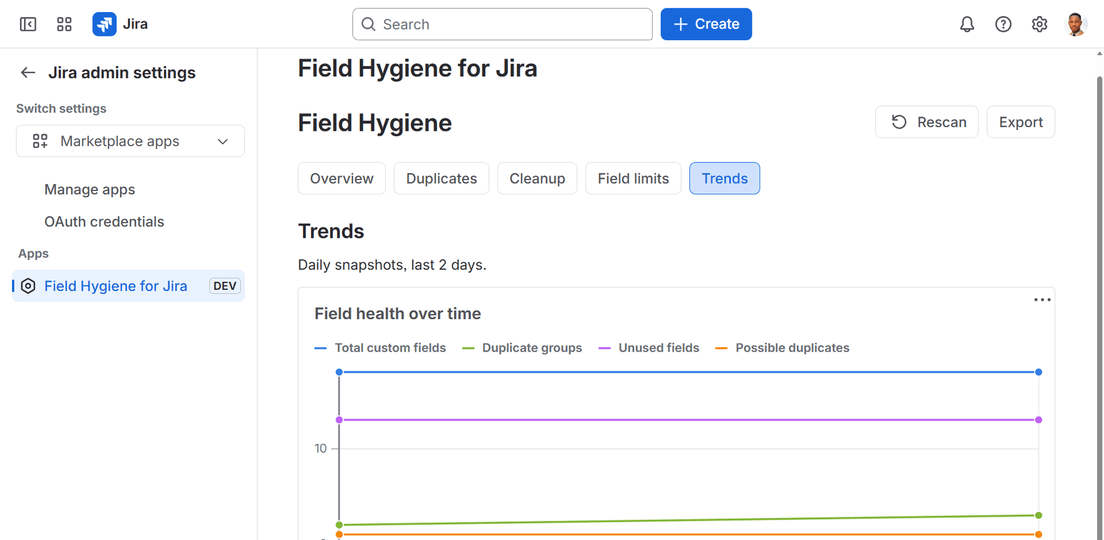
Trends over time
A daily snapshot of every count, so you can see whether sprawl is getting better or worse.
Why it's built this way
Honest by default
No writes, no third-party servers, no dashboard you have to maintain.
No writes
Read-only, always
Field Hygiene never renames, merges, or deletes a field. It reports — you fix it in Jira.
No external servers
Runs on Atlassian
Built on Forge. Zero external domains — nothing calls out to a third-party server.
Minimal data
Almost nothing stored
Only a daily aggregate count for Trends — never a field name, ID, or any other content.
Fair pricing
Same features, every tier
Free for sites of 10 users or fewer. Paid per seat above that — nothing held back on the free plan.
FAQ
Questions people actually ask
What counts as a duplicate field?
Two or more custom fields whose names match once case and extra whitespace are ignored — "Story Points" and "story points" are treated as the same name. Near-duplicates like "Story Point" vs "Story Points" are flagged separately, as possible duplicates.
Does Field Hygiene delete or merge fields?
No. It's read-only — it reports what it finds, and you decide what to do about it directly in Jira. It never renames, merges, or deletes anything.
What does "unused" actually mean?
A field that isn't attached to any screen, or one Jira has tracked as untouched for two or more years. Both are candidates for cleanup, not automatically safe to delete.
What data does it store?
Only a daily aggregate snapshot for the Trends chart — four counts, never a field name, ID, or any other identifying content. See the privacy policy for detail.
Is it free?
Yes, for sites of 10 users or fewer. Paid per seat above that, with the same features at every tier.
How do I export a scan?
Click Export, then select all the text in the box that appears and copy it — paste it into a ticket, a spreadsheet, or a message.
Stop letting fields pile up quietly
Field Hygiene for Jira is live on the Atlassian Marketplace. Install it and see your first scan in under a minute.